Guide - Android - Installation of 1st Touch App
The device to be used needs to have the following minimum specifications:
Android 4 (or higher)
SD Memory Card (any size)
If the old version is currently working on the device to be updated, then the specifications are
already sufficient.
Before downloading, ensure that the app settings of the phone allow installations from unknown
sources i.e. anything other than the Google Play Store.
Settings -> Unknown Sources -> Allow -> OK
To download and install the new 1st Touch app, navigate to the following website and follow the
instructions below).
http://support.1sttouch.com/clients/1stTouch-Standard-release.apk
If, during the process the device asks how to complete this action, choose "Package Installer"
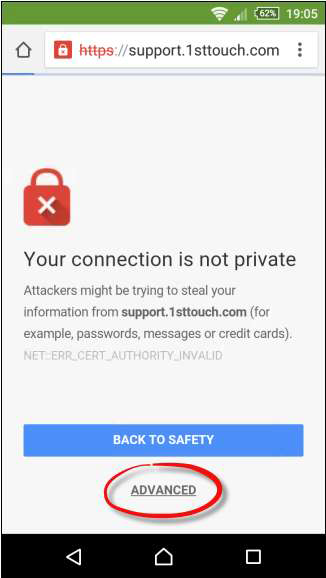
1. A warning will show that the connection isn't private. Click ADVANCED
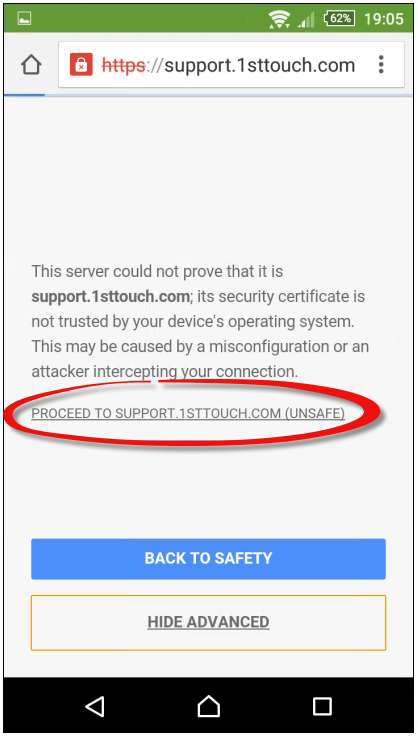
 2. Click PROCEED TO SUPPORT 1STTOUCH.COM
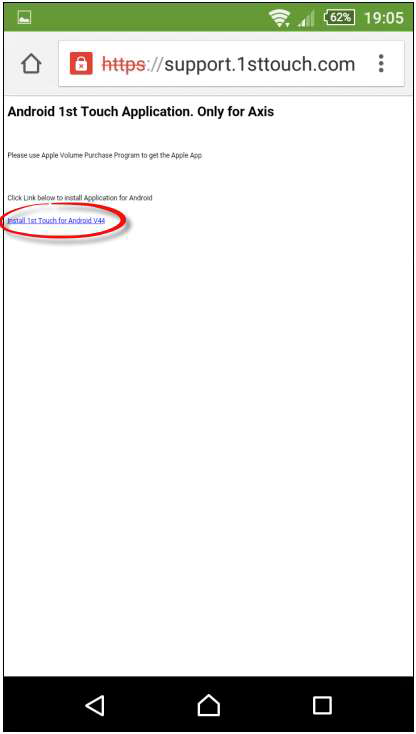
 3. Click Install 1st Touch for Android
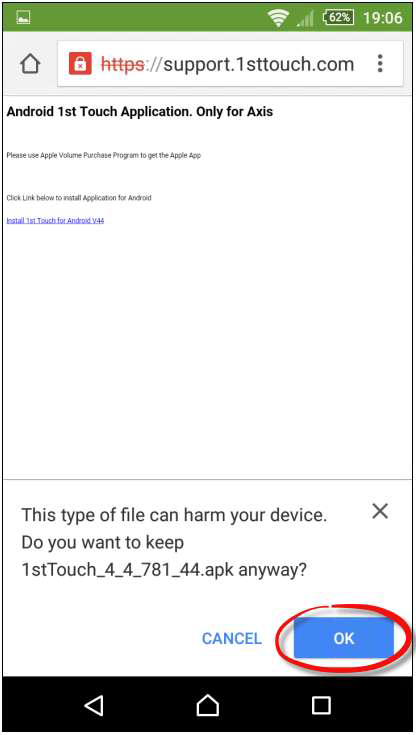
 4. Click OK past the warning
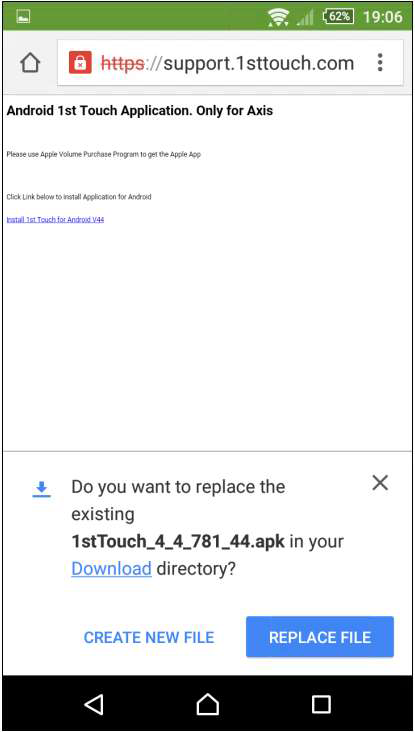 5. Choose if you want to create a new app or replace the old one REPLACE FILE (recommended)
 6. If you choose REPLACE FILE you may get this additional screen. Click INSTALL
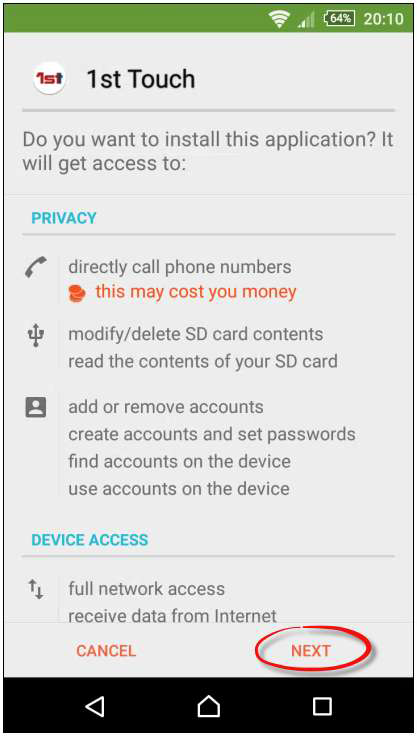
 7. Click NEXT on the next screen to install the app
 8. Once installed, there are two options.
1. Close the app (If configuring later)
2. Open the app to continue with configuration immediately, if you have the instructions ready.
8. Once installed, there are two options.
1. Close the app (If configuring later)
2. Open the app to continue with configuration immediately, if you have the instructions ready.
 If there are now two different 1st Touch apps on the device (depending on the choice made in step 5), then go to the Uninstallation instructions to remove the old app.
If there is only one app, then the settings (username etc.) may have been updated automatically. If so, the configuration step will not need to be followed. The app will prompt for configuration if needed.
If there are now two different 1st Touch apps on the device (depending on the choice made in step 5), then go to the Uninstallation instructions to remove the old app.
If there is only one app, then the settings (username etc.) may have been updated automatically. If so, the configuration step will not need to be followed. The app will prompt for configuration if needed.
Download Instructions
|
